
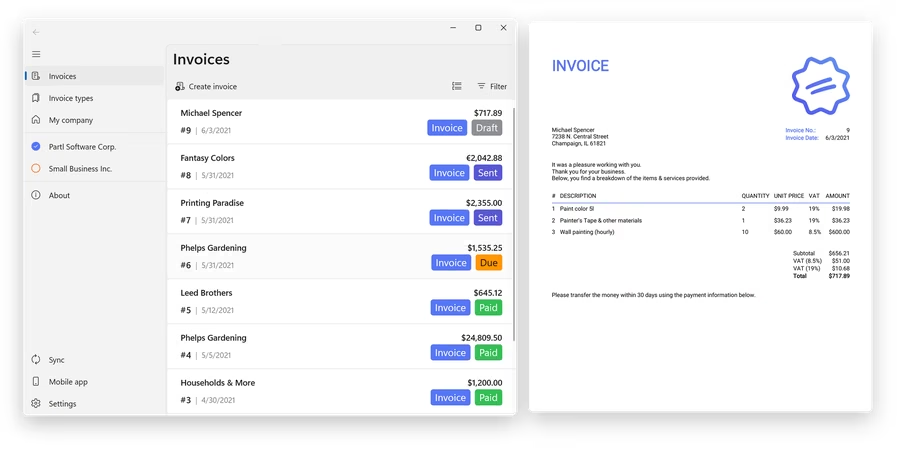




Focused invoicing without the overhead
- Invoice documents: create PDF invoices, estimates and quotes for clients without a complex accounting suite.
- Professional PDF layouts: choose a clean invoice layout and personalize it with your company logo, colors and fonts.
- Clear billing status: manage invoices and mark documents as paid when the client pays.
- WorkingHours ready: turn tracked time from WorkingHours into invoices with one click.
Create PDF invoices faster
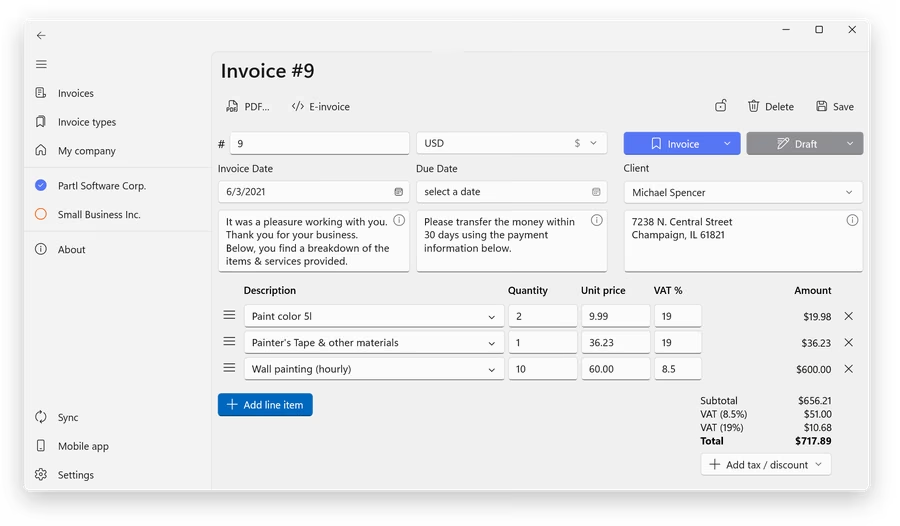
SubTotal keeps the invoicing workflow focused: add client details, line items, taxes, discounts and payment terms, then create a clean PDF invoice that is ready to save, share, view or mail.
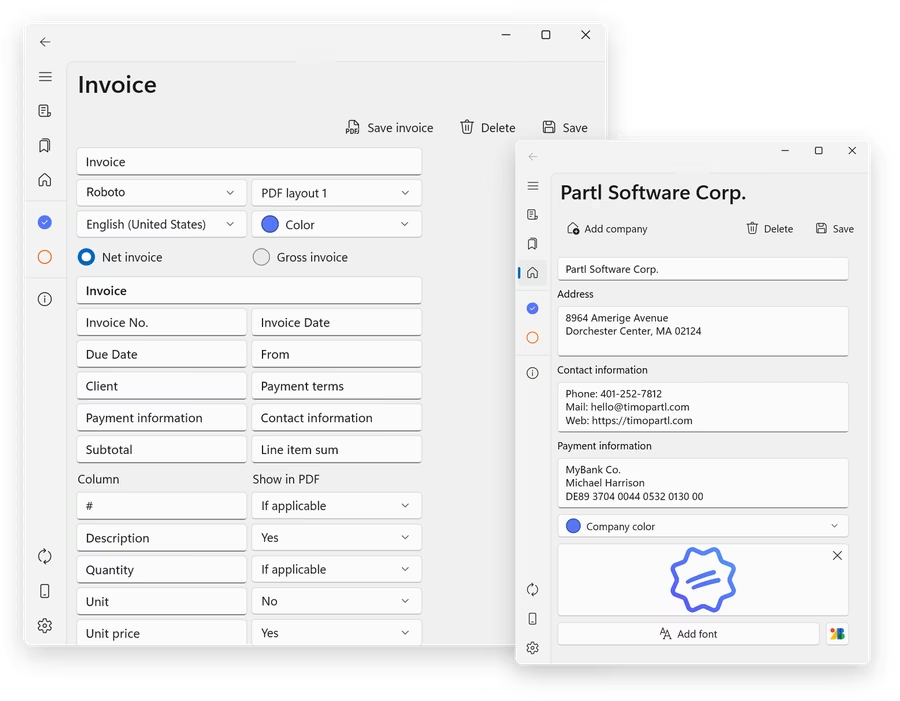
Make invoices look like your business
Choose from clean PDF layouts and personalize the invoice with your logo, brand color and fonts. SubTotal keeps the design options focused, so you can create polished business documents without learning a full accounting system.
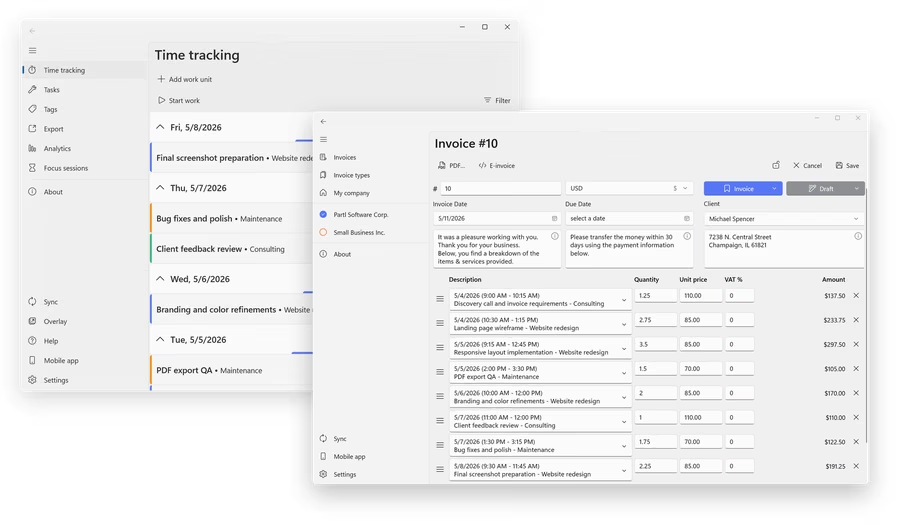
From tracked time to client billing
If you track work with WorkingHours, SubTotal can turn time entries into invoice items. That makes it easier to bill hourly work, consulting, freelance projects and recurring client tasks.
Unlock SubTotal Pro
SubTotal is free to use. SubTotal Pro adds advanced features for users who need more customization, cloud sync and e-invoicing.
- Cloud Sync: keep invoice data available across devices with supported cloud providers.
- More PDF options: access all PDF fonts and layouts, custom fonts, embedded QR codes and footer-link removal.
- E-invoicing: create e-invoices in ZUGFeRD, XRechnung and Factur-X formats with SubTotal Pro.
- No subscription: SubTotal Pro is a one-time purchase for the selected platform, and Pro features can be tested free for 7 days.
Feature overview
- Create PDF invoices for clients
- Create estimates and quotes for upcoming work
- Send, save and share invoice documents
- Manage invoices and mark them as paid
- Personalize invoice PDFs with logo, colors, fonts and predefined layouts
- Create invoices from WorkingHours time tracking data
- Use SubTotal on Windows, Android, iPhone, iPad and Mac
- Sync invoice data through OneDrive, Google Drive, Dropbox, iCloud or WebDAV
- Create supported e-invoice formats such as ZUGFeRD, XRechnung and Factur-X
- Save, share, view or mail PDF invoices and e-invoice XML files
- Use embedded QR codes and custom PDF fonts
- Free to use with optional SubTotal Pro upgrade
Frequently asked questions
Is SubTotal free to use?
Yes. You can use SubTotal for free. Some advanced features require SubTotal Pro, including Cloud Sync, e-invoicing, all PDF fonts and layouts, custom PDF fonts, embedded QR codes and removing the PDF footer link. SubTotal Pro is a one-time purchase for the selected platform, not a subscription, and Pro features can be tested free for 7 days. Current prices are shown in the app.
Can SubTotal create estimates and quotes?
Yes. SubTotal can create PDF invoices, estimates and quotes, so you can prepare documents before and after client work.
Can I customize invoice templates?
SubTotal lets you choose PDF layouts and personalize invoices with your company logo, colors and fonts. It is intentionally a simple invoice app, so it does not offer unlimited free-form template design like larger accounting or document systems.
Can I create invoices from WorkingHours data?
Yes. If you use WorkingHours for time tracking, SubTotal can create invoice items from tracked time entries so hourly work is easier to bill.
Does SubTotal sync across devices?
SubTotal is available for Windows, Android, iOS and macOS. Optional Cloud Sync keeps invoice data available across supported versions and requires SubTotal Pro.
Which e-invoice formats does SubTotal support?
SubTotal Pro can create e-invoices in ZUGFeRD, XRechnung and Factur-X formats. You can also save, share, view or mail the generated PDF and e-invoice XML files.
What kind of billing workflow is SubTotal for?
SubTotal is intentionally focused on invoices, estimates, quotes, PDF documents, paid status, sync and e-invoicing. It is made for everyday invoicing, not as a replacement for full accounting, tax filing, payment processing or payroll software.
Have more questions?
You can find more details in the full SubTotal FAQ, including Pro version, Cloud Sync, e-invoicing and troubleshooting topics.